

We integrate LiveKit SDKs into web, desktop, and mobile applications, including iOS, Android, and React Native. Server-side work covers rooms, participants, tokens, sessions, API keys, authentication, role-based access, backend business logic, AI agent workflows, CRM and telephony integrations, analytics, and custom business scenarios. Solutions can run on LiveKit Cloud or in self-hosted infrastructure.

LiveKit Application Development

From specialized real-time communication features and AI voice agents to integration, migration, and scalable application development, Clover Dynamics covers the full product lifecycle. Build and deploy solutions tailored to your business needs, technical infrastructure, and projected growth. With LiveKit product development, companies no longer need to manage complex WebRTC infrastructure from scratch.
Launch real-time voice, video, streaming, and AI-powered applications. Clover Dynamics provides LiveKit development services, helping companies build scalable communication solutions that ensure ultra-low-latency media transmission, flexible integrations, and support for advanced AI features.
LiveKit Application Development Services We Provide
- 01
Custom LiveKit App Development
As an open-source platform, LiveKit can be adapted to specific business scenarios, security requirements, and your technology stack. We cover architecture, rooms and participants, access control, real-time communication, recording, and scaling under load.
- 02
LiveKit Video App Development
Build applications featuring one-to-one and group video calls, video conferencing, screen sharing, recording, participant management, adaptive media streaming, and a tailored user interface.
- 03
LiveKit Voice App Development
Develop low-latency voice experiences for customer support, voice chats, consultations, and interactive services, with room management and SIP or telephony integrations.
- 04
LiveKit AI Agent Development
Deploy real-time voice and text agents integrated with LLMs, speech-to-text, text-to-speech, task-execution tools, databases, and business APIs.
- 05
LiveKit Live Streaming App Development
Build live-streaming products for large audiences with access control, interactive features, recording, real-time engagement, and architecture designed for growth.
- 06
LiveKit Integrations
Integrate LiveKit with existing applications, AI services, CRMs, SIP telephony, authentication, analytics, and other external systems without rebuilding the entire product.
- 07
LiveKit Migration and Modernization
Retain core functionality while moving real-time products to LiveKit. We modernize the architecture, integrate new features, reduce technical debt, and prepare the platform for future scaling.
What We Build With LiveKit

Video Conferencing Platforms
Group calls, screen sharing, participant management, meeting recording, messaging, and other real-time collaboration features.

AI Voice Assistants and Agents
AI assistants for user interaction, request processing, task automation, and integration with LLMs, CRMs, and external APIs.

Telehealth and Virtual Consultation Apps
Secure remote consultations with video calls, data sharing, session recording, and multi-participant connectivity.

Virtual Classrooms and E-Learning Platforms
Video sessions, screen sharing, messaging, lesson recording, and interactive learning experiences.

Customer Support and Contact Center Solutions
Voice and video calls, AI agents, inquiry routing, communication recording, and analytics for customer service teams.

Live Streaming Platforms
Low-latency, scalable video delivery with interactive features and content recording.

Collaboration and Remote Work Apps
Video calls, voice communication, screen sharing, messaging, and real-time teamwork features.
Real-Time Communication for SaaS
Embedded video calls, voice chats, messaging, screen sharing, notifications, and interactive features for SaaS products.
Related Case Study
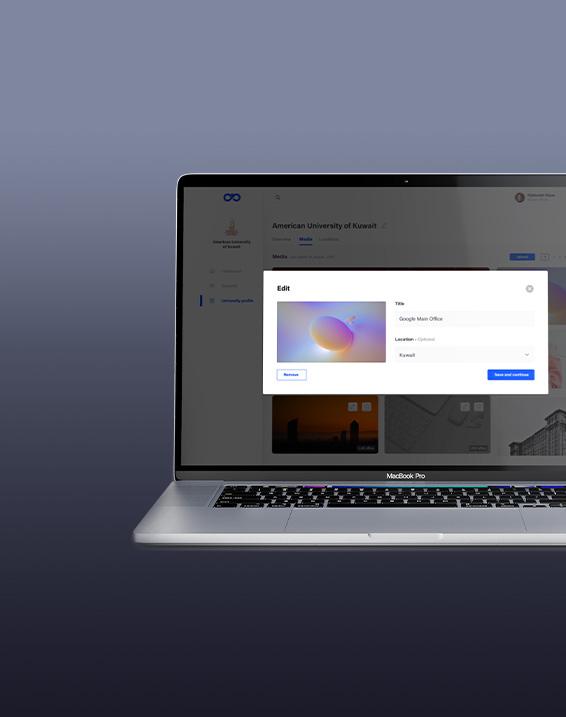
Software for Employment Applications - Hiring platform Khibra
Video Conferencing Platforms
Group calls, screen sharing, participant management, meeting recording, messaging, and other real-time collaboration features.
AI Voice Assistants and Agents
AI assistants for user interaction, request processing, task automation, and integration with LLMs, CRMs, and external APIs.
Telehealth and Virtual Consultation Apps
Secure remote consultations with video calls, data sharing, session recording, and multi-participant connectivity.
Virtual Classrooms and E-Learning Platforms
Video sessions, screen sharing, messaging, lesson recording, and interactive learning experiences.
Customer Support and Contact Center Solutions
Voice and video calls, AI agents, inquiry routing, communication recording, and analytics for customer service teams.
Live Streaming Platforms
Low-latency, scalable video delivery with interactive features and content recording.
Collaboration and Remote Work Apps
Video calls, voice communication, screen sharing, messaging, and real-time teamwork features.
Real-Time Communication for SaaS
Embedded video calls, voice chats, messaging, screen sharing, notifications, and interactive features for SaaS products.

LiveKit AI Development and Voice Agent Integration
AI Voice Agents
Automate conversations, request processing, and scenario execution without constant operator involvement.
Speech-to-Text and Text-to-Speech
Create natural voice interfaces with real-time speech recognition and synthesis for hands-free user experiences.
LLM Integration
Connect large language models with enterprise data, APIs, and business logic to generate responses and make decisions within voice and multimodal scenarios.
Real-Time Transcription and Translation
Add low-latency transcription and translation for meetings, consultations, international support, and multilingual communication.
Multimodal AI Experiences
Combine voice, text, video, and other data sources so AI agents can use broader context and complete more complex tasks.
Human-to-AI and AI-to-Human Handoff
Transfer conversations between people and AI without losing context or interaction history.
AI Voice Agents
Automate conversations, request processing, and scenario execution without constant operator involvement.
Speech-to-Text and Text-to-Speech
Create natural voice interfaces with real-time speech recognition and synthesis for hands-free user experiences.
LLM Integration
Connect large language models with enterprise data, APIs, and business logic to generate responses and make decisions within voice and multimodal scenarios.
Real-Time Transcription and Translation
Add low-latency transcription and translation for meetings, consultations, international support, and multilingual communication.
Multimodal AI Experiences
Combine voice, text, video, and other data sources so AI agents can use broader context and complete more complex tasks.
Human-to-AI and AI-to-Human Handoff
Transfer conversations between people and AI without losing context or interaction history.
LiveKit Video and Audio Communication Development
One-to-One Video Calling
Camera and microphone controls, participant connection handling, and configurable session access.
Multi-Party Video Conferencing
Participant management, SFU-based stream distribution, and dynamic participant addition for multi-user conferences.
Real-Time Audio Communication
Voice calls and rooms with audio stream controls and participant state management.
Screen Sharing
Share an entire screen, an application window, or a workspace while controlling broadcast access.
Real-Time Data Messaging
Exchange chat messages, events, UI signals, and service information between session participants.
Recording and Media Export
Record video and audio sessions and export media for storage, review, analysis, or downstream processing.
Related Case Study
Software for Employment Applications - Hiring platform Khibra
One-to-One Video Calling
Camera and microphone controls, participant connection handling, and configurable session access.
Multi-Party Video Conferencing
Participant management, SFU-based stream distribution, and dynamic participant addition for multi-user conferences.
Real-Time Audio Communication
Voice calls and rooms with audio stream controls and participant state management.
Screen Sharing
Share an entire screen, an application window, or a workspace while controlling broadcast access.
Real-Time Data Messaging
Exchange chat messages, events, UI signals, and service information between session participants.
Recording and Media Export
Record video and audio sessions and export media for storage, review, analysis, or downstream processing.
Our LiveKit Development Process


Build AI-Native systems with intelligence at the core - Not as an add-on
Key Features We Can Build Into Your LiveKit App
Low-Latency Video and Audio
Stable real-time interaction that adapts when network quality changes.
Screen Sharing
Controlled sharing of screens and individual application windows.
Participant Management
Connection, state, media stream, and participant action management.
Role-Based Permissions
Rules for speaking, screen sharing, recording, and moderation.
Real-Time Messaging
Low-latency text messages and events inside a session.
Recording
Audio and video recording for review, storage, analytics, and workflows.
Live Transcription
Real-time speech-to-text for subtitles, notes, search, and processing.
AI Voice Assistants
Conversational assistants that respond to requests and perform actions.

Virtual Backgrounds
Replace or obscure the user’s physical background during video calls.

Adaptive Streaming
Adjust media quality to bandwidth and network conditions.

Notifications
Incoming call, participant, session-change, and custom event notifications.
Analytics
Metrics for sessions, participants, quality, feature usage, and performance.
Authentication
Secure access, room controls, and end-to-end protection for media resources.

Moderation
Blocking, muting, access management, and rule-enforcement tools.
Session Management
Room lifecycle, participant connections, statuses, and access parameters.
Related Case Study
Software for Employment Applications - Hiring platform Khibra
Low-Latency Video and Audio
Stable real-time interaction that adapts when network quality changes.
Screen Sharing
Controlled sharing of screens and individual application windows.
Participant Management
Connection, state, media stream, and participant action management.
Role-Based Permissions
Rules for speaking, screen sharing, recording, and moderation.
Real-Time Messaging
Low-latency text messages and events inside a session.
Recording
Audio and video recording for review, storage, analytics, and workflows.
Live Transcription
Real-time speech-to-text for subtitles, notes, search, and processing.
AI Voice Assistants
Conversational assistants that respond to requests and perform actions.
Virtual Backgrounds
Replace or obscure the user’s physical background during video calls.
Adaptive Streaming
Adjust media quality to bandwidth and network conditions.
Notifications
Incoming call, participant, session-change, and custom event notifications.
Analytics
Metrics for sessions, participants, quality, feature usage, and performance.
Authentication
Secure access, room controls, and end-to-end protection for media resources.
Moderation
Blocking, muting, access management, and rule-enforcement tools.
Session Management
Room lifecycle, participant connections, statuses, and access parameters.
More Case Studies

Metaverse Software Development Services for SpaceMetaverse
SpaceMetaverse is an innovative Canadian startup revolutionizing the digital NFT art and commerce scene. Their mission is to empower users with robust builder tools, enabling them to effortlessly design and bring to life immersive commerce spaces, free from any limitations. With their help, users can purchase top-notch products, immersing in a one-of-a-kind shopping adventure as if they were strolling through a luxurious mall. They can engage with others in dynamic spaces, fostering new connections and sparking exciting conversations.
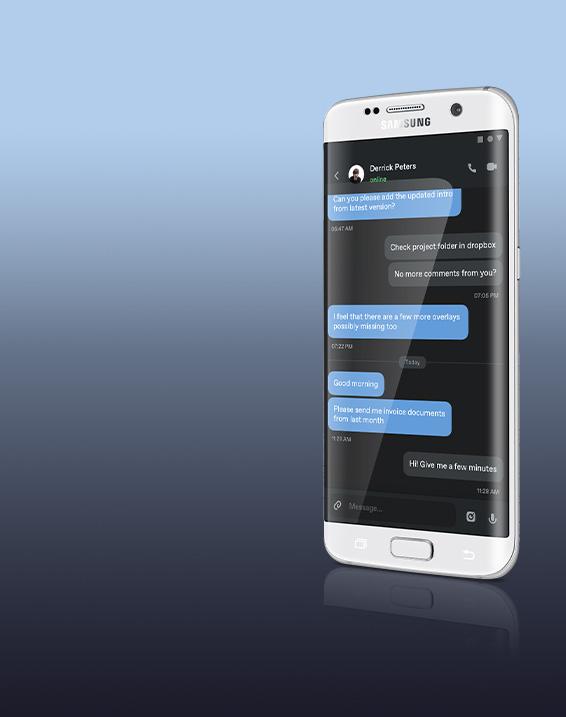
Secure Messaging App Development for Business
Our client needed a solution for highly secure and encrypted communication within the corporation, operating in North America and Asia.


What you get with Clover
We’ve helped startups raise over $72M in follow-on funding after launching products built by our teams
Our Awards





1/12
Clover Dynamics has been key to our rapid growth. They delivered exceptional quality and complex features, helping us achieve triple-digit growth in under 5 months. I highly advise any startup looking to find the right tech capabilities to collaborate with Clover Dynamics.

Fahad Al-Sabah
Founder&CEO, Khibra
Our Awards
Industries Solutions




Automate workflows end-to-end with autonomous AI Agents that decide and transact
Frequently asked questions
LiveKit is an open-source platform for low-latency audio and video. LiveKit development uses its SDKs and infrastructure to build video, voice, messaging, streaming, and AI-powered communication into products.
Teams can build video calling, group conferencing, live streaming, voice AI agents, telehealth, e-learning, contact center, and real-time SaaS products on LiveKit Cloud or self-hosted infrastructure.
LiveKit is built on WebRTC and provides ready-made infrastructure for rooms, participants, media routing, scaling, recording, and server-side logic, reducing the amount of infrastructure a product team must build itself.
LiveKit Cloud is useful for a fast launch and managed infrastructure. Self-hosting provides more control over data, configuration, and infrastructure. A common approach is to validate the product in LiveKit Cloud before making a longer-term hosting decision.
Yes. LiveKit SDKs and APIs can be integrated into existing web, mobile, and backend applications without rebuilding the product architecture from scratch.
Yes. LiveKit supports real-time voice assistants and phone-based agents that combine LLMs, speech-to-text, text-to-speech, turn detection, and external APIs.
Yes. LiveKit supports real-time video conferences, audio communication, and live streaming with participant and media stream management.
Yes. Real-time applications can connect to traditional telephony through SIP and related infrastructure.
LiveKit provides SDKs for JavaScript and React, iOS and Swift, Android and Kotlin, Flutter, React Native, Unity, and backend languages including Node.js, Python, Go, Ruby, Java, and .NET.
Scalability depends on architecture and configuration. LiveKit supports distributed deployments and horizontal scaling for products with large numbers of concurrent participants.
Depending on features, AI integrations, platforms, backend complexity, and scale, a production-ready solution commonly ranges from $20,000 to more than $100,000.
A typical project takes about 2–6 months. More time may be needed for many platforms, specialized features, complex infrastructure, or advanced AI requirements.